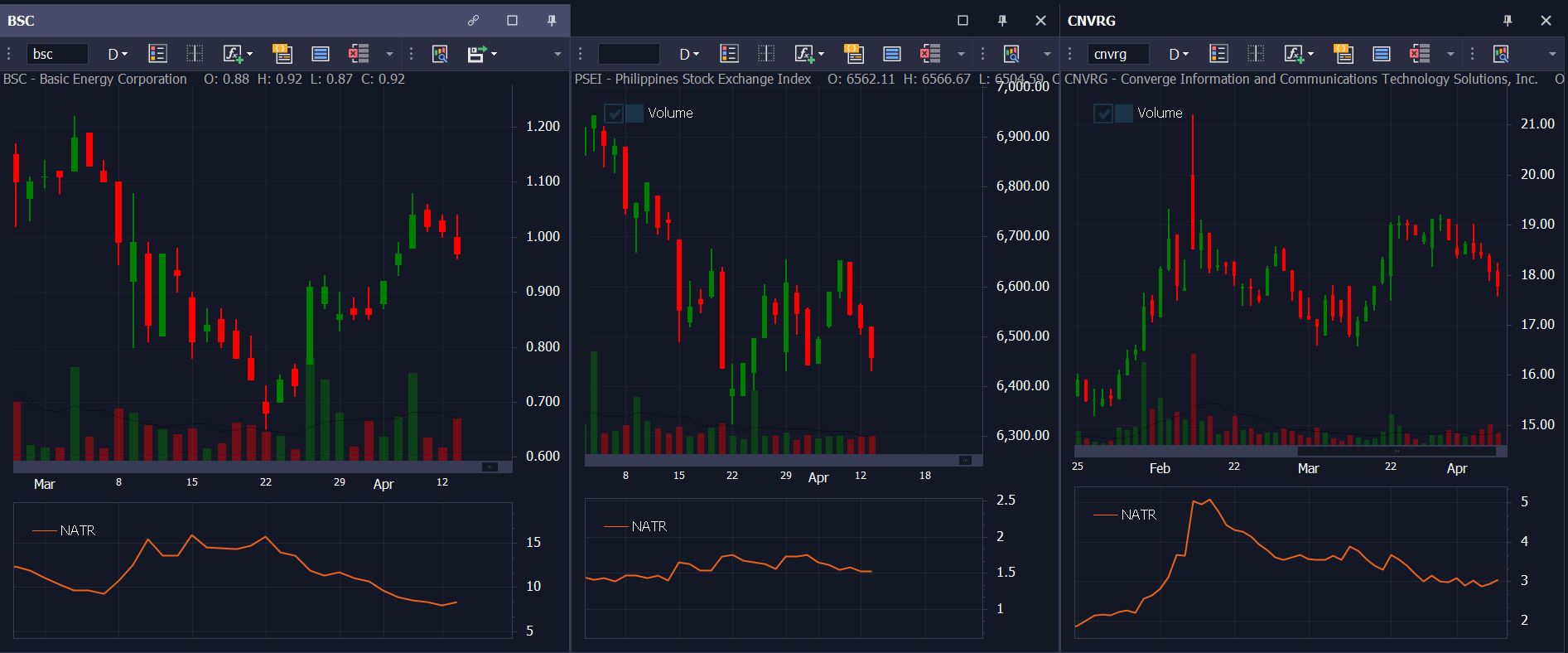
To use this screener, simply copy and paste the code below in your VAI Script Editor, save it and run! You can run it in the charts module to display the signals on the chart or run it in the screener module, which will show all the signals for that day.
You can find more tutorials here https://www.vaianalytics.com/knowledge-base/
Using Average True Range or ATR can be very useful when assessing a stock's volatility. One downside is that because the computation is based on the closing prices, you can't really directly compare ATR values between 2 different stocks to determine which stock is more volatile. The easy solution to this problem is to create a normalized ATR, which will allow you to screen all stocks depending on your volatility preference. The script can be found below.
//Normalized ATR
//You can change the period below, in this case its 10 periods.
Set ATR = ATR(10)
Set NATR = (atr/close)*100
plot(NATR,line,any,NATR)